


Chart of Accounts
We create, refine or import accounts for assets, liabilities, equity, income, direct costs and operating expenses, with mappings that support accurate postings and reporting.
 Accounting Configuration
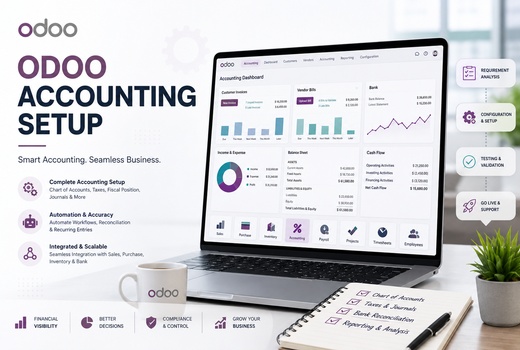
Logo Desire provides Odoo Accounting Setup for businesses in Australia and international markets that need accurate invoicing, vendor bills, payments, expenses, tax configuration, bank reconciliation and financial reporting in one connected ERP system.
We configure Odoo accounting around your operating structure, transaction volume, local reporting requirements and approval controls, creating a scalable ERP accounting solution for Australian and international finance teams.
Direct Answer
Odoo Accounting is the finance application within Odoo ERP. It helps a business manage its chart of accounts, customer invoices, vendor bills, journals, taxes, payments, bank reconciliation, expenses and financial reporting from one database.
Because the accounting application connects with Sales, Purchase, Inventory, eCommerce, POS, Projects and Expenses, finance records can be created from genuine business activity instead of being re-entered into separate spreadsheets. Logo Desire delivers this work through our broader Odoo implementation services and Odoo ERP services.
Countries Served
Logo Desire provides remote Odoo Accounting Configuration, implementation, bookkeeping workflow setup, reporting, migration and integration for businesses across Australia and international markets. Each finance setup is adapted to the company structure, currencies, operational workflow and approved local accounting requirements.
Foundation
A reliable accounting environment starts with a review of how the organisation earns revenue, purchases goods or services, pays suppliers, records expenses, collects customer payments and prepares management reports. We use this review to configure Odoo accounting around real operational requirements rather than generic defaults.
Our Odoo accounting setup services can establish the chart of accounts, account groups, journals, payment methods, invoice sequences, user permissions, tax rules and reporting structure. The result is an integrated bookkeeping system that supports consistent transaction entry and clearer financial controls.
The ledger structure is designed around the organisation's revenue streams, direct costs, operating expenses, assets, liabilities and equity. Existing account codes can be imported, reorganised or mapped from a previous platform so historical reporting remains understandable after migration.
We configure solutions for retailers, wholesalers, professional firms, eCommerce businesses, manufacturers, construction companies, service providers and multi-branch organisations operating across Australia and global markets.
Business Structure
Complete Odoo finance configuration aligns legal entities, branches, transaction types, approval levels and financial responsibilities with one controlled system.
We create, refine or import accounts for assets, liabilities, equity, income, direct costs and operating expenses, with mappings that support accurate postings and reporting.
We define the financial calendar, opening and closing periods, lock dates, retained earnings treatment and authorised access for period-end adjustments.
Sales, purchase, bank, cash and miscellaneous journals are configured with suitable sequences, accounts and controls for each transaction channel.
We configure accounting taxes, tax-inclusive or tax-exclusive pricing, product tax defaults and fiscal positions according to approved business requirements.
Immediate payments, deposits, instalments, end-of-month terms and customised credit periods can automatically calculate invoice due dates.
Role-based permissions and approval controls protect sensitive financial data while giving each employee the access required for assigned duties.
Controlled Deployment
Our Odoo Accounting Implementation process combines requirements analysis, system configuration, workflow development, migration, testing and deployment. Each stage is linked to approved financial processes and measurable acceptance checks.
We can migrate customer and supplier records, opening balances, outstanding customer invoices, unpaid vendor bills, products, bank balances, tax records, analytic accounts and selected historical entries. Before import, we review duplicate records, missing values, field formats, account mappings and transaction dates.
After migration, reconciliation checks compare Odoo balances with approved source records. This controlled method supports secure financial data management and reduces the risk of starting with inaccurate opening information.
Journal setup is validated with sample sales, purchases, receipts, payments, credit notes and adjustment entries. Each test confirms the account, tax, sequence, currency and access behaviour before users begin processing live transactions.
Financial Control
Customised accounting workflows improve accountability without making routine finance work unnecessarily complex.
We set up accounting workflows to manage accounts payable through vendor bill entry, purchase matching, approval stages, due-date monitoring and payment registration. Supplier liabilities remain visible through aged payable reports and structured payment schedules.
To manage accounts receivable, Odoo can issue invoices, calculate due dates, register payments, monitor outstanding balances and support reminders. Finance teams can prioritise overdue customer invoices using current aged receivable data.
Employees can submit expenses with supporting documents, while managers review categories, projects and approval status. Approved claims help track business expenses and create complete accounting records without separate spreadsheets.
Fiscal year configuration establishes reporting dates, opening balances, year-end treatment and lock dates. Period controls can prevent unauthorised changes to completed months while allowing approved finance users to post legitimate adjustments.
Daily Transactions
Our Odoo Bookkeeping Setup organises the daily recording of sales, purchases, receipts, payments, refunds, expenses and journal adjustments. Operational documents can create corresponding finance entries, reducing duplicate data entry.
Odoo can automate invoice processing from sales orders, delivered products, timesheets, subscriptions or project milestones. Vendor bills can be entered directly or linked to purchase orders and received quantities for stronger verification.
The resulting integrated bookkeeping system gives users one traceable record from the original transaction through invoice, payment and reconciliation.
Customer invoices can inherit products, pricing, taxes, payment terms and income accounts from approved sales activity. Vendor bills can be checked against purchase orders and received quantities, helping teams identify discrepancies before payment.
Complete Support
Our Odoo Accounting Services cover configuration, testing, training and continuous improvement across the financial lifecycle, including GST workflows approved by your accountant or registered tax adviser.
We document transaction types, reporting needs, users, approvals, integrations and current process gaps before configuration begins.
Sales, purchasing, expenses, payments, banking and reporting are mapped into practical system workflows with clear responsibilities.
Accounts, journals, taxes, permissions and reports are tested with realistic transactions before the environment is approved for use.
Approved master data, opening balances and open transactions are prepared, imported and reconciled against source records.
Role-based training covers invoices, bills, payments, reconciliation, expenses, reports, corrections and daily control procedures.
Post-launch support can address workflow improvements, reporting changes, configuration updates, troubleshooting and expansion.
Connected Operations
An Odoo ERP Accounting Setup connects financial management with Sales, Purchase, Inventory, Manufacturing, Projects, Subscriptions, POS, Expenses and eCommerce. A confirmed sale can lead to delivery, invoicing, payment registration and bank reconciliation without entering the same transaction several times.
This connection supports automated financial operations while maintaining a clear audit trail between operational activity and ledger entries. Teams can review product costs, supplier liabilities, customer balances, project profitability and inventory valuation from related records.
Accounting integration also reduces differences between departmental records. Sales users, purchasing staff, warehouse teams and finance personnel work from related documents, while authorised managers retain visibility over each transaction's operational and financial status.
Reporting and Analysis
Real-time financial reporting gives management current information drawn directly from posted transactions.
We configure Odoo to generate financial statements such as profit and loss, balance sheet, cash-flow, general ledger, partner ledger, tax and aged balance reports.
Analytic accounts and plans can track income and expenses by branch, department, project, contract, campaign or business unit. Distribution rules support consistent cost allocation and more useful profitability analysis beyond the general ledger.
Multi-company accounting management can provide separate companies, journals, users and reports while supporting consolidated oversight where the selected structure requires it.
Practical Configuration
A professional Odoo Accounting Module Setup enables the financial functions your organisation will actually use. We avoid unnecessary settings that make routine work harder and focus on transaction types, internal controls, reports and integrations.
Configuration can include invoices, bills, credit notes, refunds, fixed assets, deferred income, deferred expenses, recurring entries, budgets, payment reminders and analytic accounting. Accurate tax and ledger setup helps transactions post to the correct accounts and reports.
Role-based permissions can separate invoice preparation, approval, posting, payment and reporting duties. This structure protects sensitive records, supports accountability and reduces the risk of accidental or unauthorised changes.
Connected Applications
Odoo Accounting Integration connects finance with operational applications and suitable third-party platforms while protecting data quality.
Customer details, quotations, orders, invoicing status and payment information can remain linked throughout the sales cycle.
Purchase orders, receipts, vendor bills, landed costs and inventory valuation can flow into related financial records.
Orders, taxes, payments, refunds and product transactions can connect with accounting according to the selected invoicing workflow.
Billable time, milestones, employee costs and project revenue can support invoicing and project profitability analysis.
Compatible payment gateways and financial services can be assessed for data transfer, matching, error handling and security.
Where standard connectors are insufficient, Logo Desire can assess custom APIs, scheduled synchronisation and validation requirements.
Banking and Compliance
We configure bank accounts, statement imports, reconciliation models and matching rules. Users can reconcile bank transactions against invoices, bills, transfers, fees and other ledger entries, with exceptions reviewed separately.
Australian businesses dealing with overseas customers or suppliers can record foreign-currency invoices, bills, bank transactions and payments. Configuration can include exchange rates and exchange gain or loss treatment.
We configure sales and purchase taxes according to requirements approved by your accountant or adviser, then test sample transactions and reports. Final compliance settings should be validated by a qualified Australian tax professional.
Why Logo Desire
Logo Desire combines ERP configuration with practical business process planning for organisations in Australia and international markets. We review the organisation's invoicing, purchasing, payment, banking, expense, reporting and approval procedures before changing system settings.
Testing uses realistic transactions so users can verify postings, tax behaviour, permissions and reports before deployment. Where standard options are insufficient, we can assess customisation, dashboards and integrations without duplicating functions already available in Odoo.
Discuss your chart of accounts, invoices, vendor bills, bank reconciliation, taxes, reporting, migration and integration requirements with Logo Desire.
Frequently Asked Questions
Clear answers about configuration, migration, bookkeeping, reporting, integrations and support.