Quotation Templates
Set up branded quotation templates, quotation terms, pricing notes, product lines, service details, and customer-ready documents.
Logo Desire provides ODOO Sales and Purchase Management setup services for quotations, sales orders, vendor management, purchase orders, procurement, approvals, invoicing, reporting, and business workflow automation.
As an ODOO partner, Logo Desire helps businesses connect sales, purchasing, inventory, accounting, CRM, vendors, customers, and operations through one structured ERP workflow built for better visibility and faster decision-making.
Direct Answer
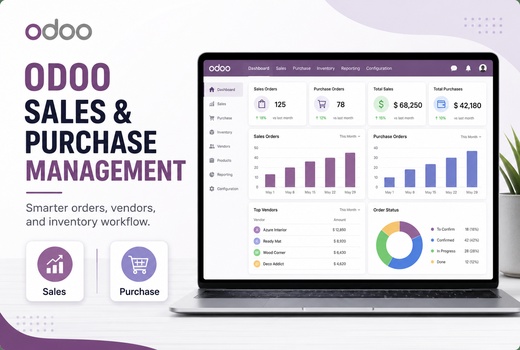
ODOO Sales & Purchase Management is the connected ERP workflow that helps businesses manage quotations, sales orders, purchase orders, customers, vendors, procurement, invoicing, approvals, stock visibility, and reporting from one system. Instead of managing sales in one tool, purchasing in another, inventory in spreadsheets, and invoices separately, ODOO connects these activities so teams work from accurate shared data.
In practical terms, ODOO lets a sales quotation become a sales order, links sales demand with available stock, triggers purchasing needs, tracks vendor quotations, creates purchase orders, connects vendor bills, and supports invoice workflows. Logo Desire provides this setup as part of our broader ODOO ERP services, ODOO CRM setup, ODOO accounting setup, and ODOO inventory management support.
Business Workflow Control
Sales and purchasing are two of the most important workflows in a business. If quotations, orders, customers, vendors, stock, approvals, and invoices are handled manually, the business can quickly face errors, delayed fulfilment, missing vendor records, duplicate entry, and weak visibility over profit and procurement.
ODOO Sales and Purchase Management improves sales tracking, speeds up the quotation-to-order process, supports vendor management, enables purchase approval workflows, improves stock and procurement visibility, and reduces manual work. Sales teams can see customer opportunities, purchasing teams can manage supplier activity, and managers can monitor performance through accurate reports.
A proper setup is especially useful for trading companies, retail businesses, eCommerce stores, wholesalers, distributors, service providers, manufacturers, and businesses that need to connect sales demand with stock availability and vendor purchasing.
Sales Module Setup
Logo Desire configures ODOO Sales around your quotation process, customer journey, pricing rules, sales users, invoicing flow, and management reporting needs.
Set up branded quotation templates, quotation terms, pricing notes, product lines, service details, and customer-ready documents.
Configure quotation-to-sales-order conversion, order confirmations, delivery links, invoice triggers, and customer communication.
Organise customer profiles, contacts, sales history, billing details, delivery addresses, customer tags, and communication records.
Configure customer-specific pricing, discount rules, product pricing, sales promotions, and controlled approval flows.
Set up salespeople, teams, targets, activity views, order reporting, sales dashboards, revenue summaries, and performance visibility.
Connect sales orders with invoicing workflows, payment terms, invoice status, customer billing, and ODOO Accounting.
Logo Desire can help you configure ODOO so quotations, sales orders, purchase orders, vendor bills, inventory movements, and invoices work together instead of staying disconnected.
Get ODOO ConsultationPurchase Module Setup
ODOO Purchase Management helps businesses manage suppliers, RFQs, purchase orders, purchase approvals, vendor bills, procurement rules, and purchase reporting. Logo Desire configures the purchase module so procurement teams can work with more control and less manual tracking.
We can set up vendor profiles, vendor prices, product supplier links, requests for quotation, purchase order templates, approval steps, purchase confirmation flows, receipt links, and bill connections. This helps businesses compare vendor activity, control purchasing decisions, and connect procurement with inventory and accounting.
Integration and Automation
ODOO becomes more valuable when sales, purchases, stock, invoices, vendors, and reports are connected through one ERP process.
ODOO connects Sales, Purchase, Inventory and Accounting so teams can work from shared records. A confirmed sales order can reserve or trigger stock movement. A purchase order can create incoming inventory. A delivery can update stock. An invoice can connect with customer billing, while a vendor bill can connect with purchasing and accounting.
Logo Desire can connect this setup with ODOO CRM setup, ODOO Accounting setup, and ODOO Inventory Management so customer enquiries, orders, products, purchases, invoices, payments, and reports support the same business workflow.
Logo Desire can configure automation rules for sales and purchase workflows, including approval rules, notifications, custom fields, automated purchase requests, sales follow-up automation, RFQ reminders, manager alerts, and dashboard reporting. This helps businesses reduce manual work and make sure important actions are not missed.
Custom workflow automation can support high-value quotation approval, discount approval, vendor selection, purchase request confirmation, low-stock procurement alerts, sales follow-up reminders, and management notifications. For advanced needs, our ODOO customization services can extend workflows further.
Sales and purchase dashboards help managers understand quotation value, confirmed orders, supplier activity, purchase costs, pending approvals, procurement delays, revenue, margins, product movement, and business performance. Logo Desire can configure dashboards for owners, managers, sales teams, purchase teams, finance users, and operations staff.
Reporting can include sales order summaries, RFQ status, vendor performance, purchase history, customer ordering trends, stock linked to orders, and invoice status. This gives decision-makers clearer visibility without depending on manual reports.
Implementation Roadmap
Logo Desire follows a structured process to configure ODOO Sales and Purchase Management around your real business workflow.
We review how your business handles quotations, sales orders, purchasing, vendors, approvals, inventory and invoices.
We map your sales and purchase workflow, including users, approval steps, documents, stock movement and reporting needs.
We configure ODOO Sales, Purchase, Inventory, Accounting and related settings based on the agreed workflow.
We help migrate customers, vendors, products, pricelists, purchase records, sales records and other relevant data.
We test quotations, sales orders, RFQs, purchase orders, approvals, inventory links, invoices and reports.
We train sales, purchase, finance, inventory and management users so your team can use the system confidently.
We support go-live, resolve issues, improve workflows and provide ongoing ODOO ERP support after launch.
Why Logo Desire
Logo Desire is an ODOO partner providing ODOO ERP implementation, customisation, integration, migration, training, and support services. Our team understands that sales and purchasing setup is not just a technical configuration; it must reflect how your customers buy, how your team sells, how vendors supply, how stock moves, and how finance records the transaction.
We combine ERP knowledge, custom software experience, API integration capability, workflow automation, reporting support, user training, and ongoing technical support. This means we can configure the standard ODOO modules and also extend workflows where your business needs more specific controls.
Talk to Logo Desire about ODOO Sales and Purchase Management setup, quotations, orders, vendors, procurement, approvals, invoicing, reporting, inventory integration, accounting integration, and workflow automation.
FAQs
Answers to common questions about ODOO Sales Management, ODOO Purchase Management, procurement, approvals, vendor data, inventory integration, and accounting connection.