Admin Training
Train administrators on users, access rights, module configuration, system settings, dashboards, records, and support workflows.
 ODOO Partner
Logo Desire provides ODOO training and support services for CRM, Sales, Purchase, Inventory, Accounting, HR, POS, eCommerce, custom workflows, user onboarding, admin guidance, reporting, workflow updates, and ongoing ERP support.
As an ODOO partner, Logo Desire helps business owners, managers, administrators, and staff use ODOO confidently after setup, implementation, customisation, module development, or ERP migration.
Direct Answer
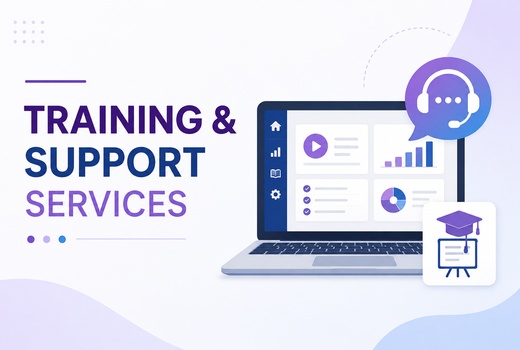
ODOO training and support helps business owners, managers, administrators, and staff understand how to use ODOO modules confidently after setup, implementation, customisation, migration, or custom module development. Training explains daily workflows, user roles, module functions, reporting, approvals, dashboards, records, and best practices so teams can operate the ERP system correctly instead of guessing or depending on one technical user.
ODOO support focuses on helping businesses after launch. This can include issue fixing, user questions, workflow improvements, access management, report support, module configuration, minor customisation, and support for custom workflows. Logo Desire provides training and support as part of our wider ODOO ERP services, ODOO implementation services, ODOO custom module development, and digital service solutions.
ERP Adoption
ODOO implementation is only successful when the team understands how to use the system in daily work. Even a well-configured ERP can fail to deliver value if users do not understand records, workflows, approvals, reports, dashboards, or module relationships. Training helps users adopt ODOO faster and reduces mistakes caused by confusion or inconsistent usage.
ODOO training improves process understanding because users learn why each module exists, how information moves between modules, and what actions should be performed at each stage. Sales teams learn CRM and quotation workflows. Inventory users learn stock movement and product controls. Accounting teams learn invoice and payment workflows. HR users learn employee and leave processes. POS users learn checkout and reporting tasks.
Training also improves reporting because accurate reports depend on correct data entry and consistent workflow usage. When teams understand how to enter records, update statuses, follow approvals, and use dashboards, management gets cleaner information and users feel more confident working inside ODOO.
Module Training
Logo Desire provides ODOO training for administrators, users, managers, and teams across CRM, Sales, Purchase, Inventory, Accounting, HR, POS, eCommerce, and custom modules.
Train administrators on users, access rights, module configuration, system settings, dashboards, records, and support workflows.
Guide everyday users through screens, records, approvals, forms, activities, search, filters, reports, and routine actions.
Train teams on leads, opportunities, pipeline stages, activities, customer records, notes, follow-ups, and CRM reporting.
Explain quotations, sales orders, purchase orders, vendors, customers, products, approvals, order status, and reporting.
Train users on products, stock movement, transfers, warehouses, locations, adjustments, reordering, and inventory reports.
Guide finance users through invoices, bills, payment workflow visibility, reports, documents, and module-specific processes.
Train HR teams on employees, departments, attendance, time off, recruitment, appraisal workflows, and HR reporting.
Teach cashiers and managers how to use POS sessions, products, payments, receipts, customers, refunds, and daily summaries.
Train users on website orders, products, customers, stock, payments, order statuses, fulfilment, and online sales workflows.
Provide role-based training for custom ODOO modules, custom dashboards, custom reports, API workflows, and automation.
Post-Launch ERP Support
ODOO support helps businesses keep the ERP system useful after implementation. New users may need help with daily tasks. Managers may request reporting changes. Administrators may need access updates. Teams may discover workflow improvements after real usage. Logo Desire provides ongoing ODOO support so businesses can continue improving the system instead of leaving issues unresolved.
Support can include issue fixing, answering user questions, workflow updates, minor customisation, report support, access and user management, and module configuration support. If a workflow becomes more complex over time, we can also guide whether it should be handled through configuration, process improvement, or custom development.
Ongoing support is especially important for businesses using several ODOO modules together. CRM, Sales, Purchase, Inventory, Accounting, HR, POS, and eCommerce workflows often depend on shared records. A change in one module can affect another, so support should consider the full ERP process.
Flexible Training Delivery
Logo Desire can provide ODOO training in flexible formats based on your team size, modules, user roles, location, support needs, and post-launch requirements.
One-on-one ODOO training is useful for business owners, managers, administrators, department heads, or key users who need focused guidance. Sessions can cover module setup, workflow usage, reporting, access rights, dashboards, daily tasks, and business-specific questions.
Team training helps departments learn the same workflow together. Remote training can support teams across locations and is suitable for CRM, sales, inventory, accounting, HR, POS, eCommerce, and custom workflows. Training can include live walkthroughs, examples, role-based tasks, and Q&A.
Logo Desire can prepare admin documentation, process guides, workflow notes, and post-launch support material so users have references after training. Documentation can reduce repeated questions and help new staff understand how your business uses ODOO.
Custom Workflow Support
Many businesses use ODOO beyond standard module setup. They may have custom modules, custom reports, API integrations, website integrations, POS setups, eCommerce workflows, dashboards, approval rules, automated notifications, or business-specific fields. Logo Desire can provide training and support for these custom ODOO workflows so users understand how the system has been configured for their actual business process.
Support for custom modules may include explaining new menus, custom fields, custom buttons, record flows, reporting dashboards, user permissions, approval logic, scheduled actions, and integration behaviour. For example, if your website form creates CRM leads in ODOO, your team needs to know where leads appear, how they are assigned, how follow-ups are managed, and what reporting is available.
Because Logo Desire also provides ODOO custom module development, implementation support, API integration, and workflow automation, we can help maintain and improve custom ODOO setups after launch. This gives businesses a support partner that understands both user workflows and technical implementation.
Logo Desire can train your users, guide administrators, explain custom workflows, support reports, answer user questions, and help your team use ODOO confidently after launch.
Training Roadmap
Logo Desire follows a role-based process to understand users, modules, workflows, documentation needs, post-launch support issues, and improvement opportunities.
We identify business owners, managers, admins, department users, cashiers, finance users, sales users, HR users, and technical users.
We review the ODOO modules, custom workflows, reports, dashboards, approvals, integrations, and daily tasks your team needs to understand.
We design a practical training plan based on user roles, module complexity, workflow priority, business process, and support requirements.
We provide guided ODOO training through walkthroughs, examples, role-based tasks, demonstrations, questions, and practical workflow explanation.
We prepare documentation, process notes, admin guidance, workflow instructions, or training references where required.
We provide support for questions, issues, access changes, reporting updates, workflow adjustments, and module configuration needs.
We review repeated issues, user feedback, reporting gaps, and workflow friction so ODOO can be improved over time.
Why Logo Desire
Logo Desire is an ODOO partner with implementation knowledge, a technical development team, business workflow understanding, API integration experience, custom module capability, and a support-focused approach. This matters because ODOO training should not be generic. It should explain how your company actually uses ODOO across departments, modules, and custom workflows.
We understand how ODOO modules connect with each other. CRM may connect with Sales. Sales may connect with Inventory and Accounting. eCommerce may connect with orders and stock. POS may connect with payments and reporting. Custom modules may connect with approvals, dashboards, APIs, and external systems. Our training explains these relationships in practical language for users.
Logo Desire can support businesses before launch, during user onboarding, and after implementation. Whether your team needs user training, admin guidance, workflow documentation, custom module support, issue fixing, report assistance, or ongoing ERP help, we can provide structured support that improves adoption and confidence.
Talk to Logo Desire about ODOO user training, admin training, CRM training, sales training, inventory training, accounting workflow training, HR training, POS training, eCommerce training, custom module support, documentation, and ongoing ERP assistance.
FAQs
Answers to common questions about ODOO user training, CRM and Sales training, post-implementation support, custom module support, remote training, and ongoing ERP assistance.